Search Tips



Troubleshooting the IP Address
Use these steps to determine if the control is displaying on the network.
Verifying IP Address
-
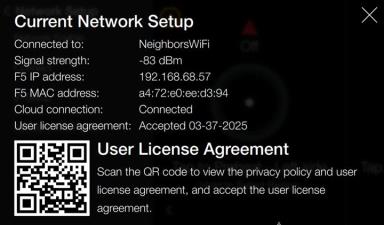
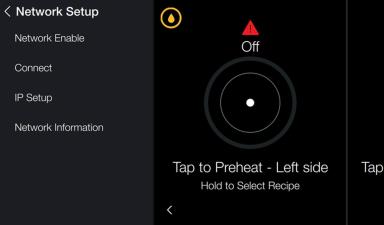
Verify the settings by navigating to: Menu > Advanced > Network Setup > Network Information.
-
Review the Current Network Setup:
-
F5 IP address: [e.g., 192.168.68.57] IP address assigned to the control (appliance) during production displays.
-
-
If the address isn't displaying, do the following:
-
Verify store's internet is active.
-
Verify fryer is connected to the correct internet connection. NOTE: Cannot be connected to a guest network.
Manually Configuring an IP Address
IMPORTANT: Only use this option if directed by a Henny Penny Service Technician. The following procedure should only be performed by an IT Technician.
-
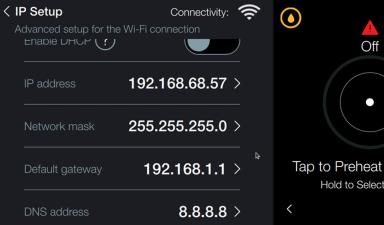
Tap IP Setup for advanced network settings.
-
Tab the slide button to disable.
-
Tap a field to enter the information.
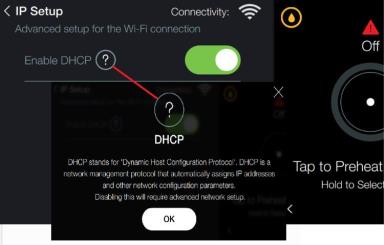
NOTE: Only use this option to manually enter network information.