Search Tips




|

|
Viewing Error Logs
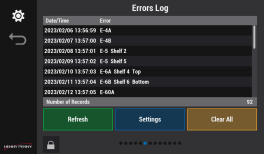
Use the Error Log screen to see if there are any errors and when they occurred.

|
Tap the Lock icon to unlock editing. A password screen displays. Type 1122, and then tap the Green Checkmark to continue, or Back arrow to exit without making a change. When finished, tap the Lock icon to lock editing. |
See Operating Controls for more information.
To access the Error Log screen:
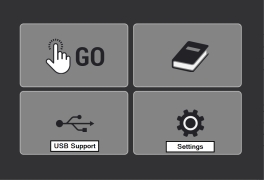
From the Home screen, select Settings > swipe right five times.